Send money with the Ria app in United States.
Send money to 190+ countries in just a few taps. Check exchange rates, choose how your money is delivered, and track your transfer in real time, all in the Ria app.
)
)
Fast and secure money transfers
What you can do with the Ria app

Send money in just a few taps. Review the details and complete your payment securely from your phone.

See real-time exchange rates before you send and know exactly how much money your friends or family will receive.

Stay connected with real-time updates about your transfer's status. You'll always know when your money is on its way and when it’s been delivered.

Send a direct bank deposit or choose from other available delivery options, like cash pickup or digital wallet, depending on the destination.
3 easy steps to send
How to send money with the Ria app


Choose the destination country, enter an amount, and select how your recipient will receive the money.
Check the exchange rate, fees, and delivery time before securely completing your payment.

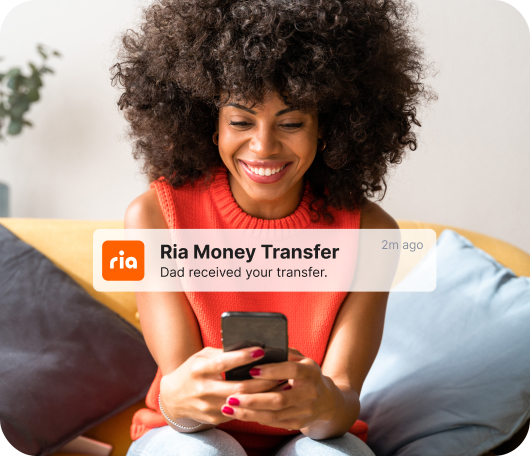
Track your transfer in real time and know exactly when your friends or family receive the funds.


New to Ria?
Send your first transfer with $0 fee
Our app makes it simple to send money to friends and family in 200+ countries. Get $0 transfer fee on your first transfer with code: HELLORIA. Terms and conditions apply.
)
)
)
)
How do I get the Ria Money Transfer app?
You can download the app in the App Store or Google Play.
Alternatively, you can scan the QR code at the top of this page using your phone camera.
How do I sign up for Ria so I can start sending money through the app?
Signing up for an account with Ria is easy. The exact steps you’ll take vary depending on your location.
Create a Ria account in the US or Canada:
1. Download the Ria app and tap the “Register” button.
2. Confirm your current country.
3. Enter your email address and choose a password.
4. Agree to Ria’s Terms and Conditions.
5. Enter your full name, date of birth, and phone number. Then tap “Continue.”
6. Choose to subscribe to receive promotions, discounts, and other special offers, or tap “Not now” to opt out.
7. Enter your mailing address and tap “Continue.”
8. Select and answer three security questions to protect your account.
Create a Ria account everywhere else:
1. Download the Ria app and tap the “Register” button.
2. Confirm your current country.
3. Enter your phone number and verify it by entering the 6-digit code we send you.
4. Choose a password.
5. Agree to Ria’s Terms and Conditions.
6. Enter your full name, email address, and date of birth (we may also ask for your country of birth, nationality, occupation, and ID information). Then tap “Continue.”
7. Choose to subscribe to receive promotions, discounts, and other special offers, or tap “Not now” to opt out.
8. Enter your mailing address and tap “Continue.”
Learn more about creating a Ria account here.
What information do I need to provide to send money through the Ria app?
To protect our customers and provide the best possible experience, we'll typically ask for your basic information, including your name, birth date, phone number, and email address — and sometimes other information too.
You'll also need to provide your recipient's name and basic contact information to ensure safe delivery. This often includes:
• Name of the recipient as it appears on their government-issued I.D.
• Name of the city where the recipient lives
• Amount of cash you’ll be sending
• Additional payment details, like credit card number, debit card number, or bank account
• Additional payout details, like the bank account number or location for cash pickup
Are money transfer apps safe to use?
We're dedicated to providing the utmost security for every customer. In addition to following strict policies and procedures, we also use a variety of techniques to protect your personal information, ensure safe transactions, and combat illegal activities.
You can learn more in our Privacy Policy.